theSimCal · User Guide
thesimcal.com · Last updated September 2026

Your Control Panel at a Glance
User guideLast updated September 1, 2026
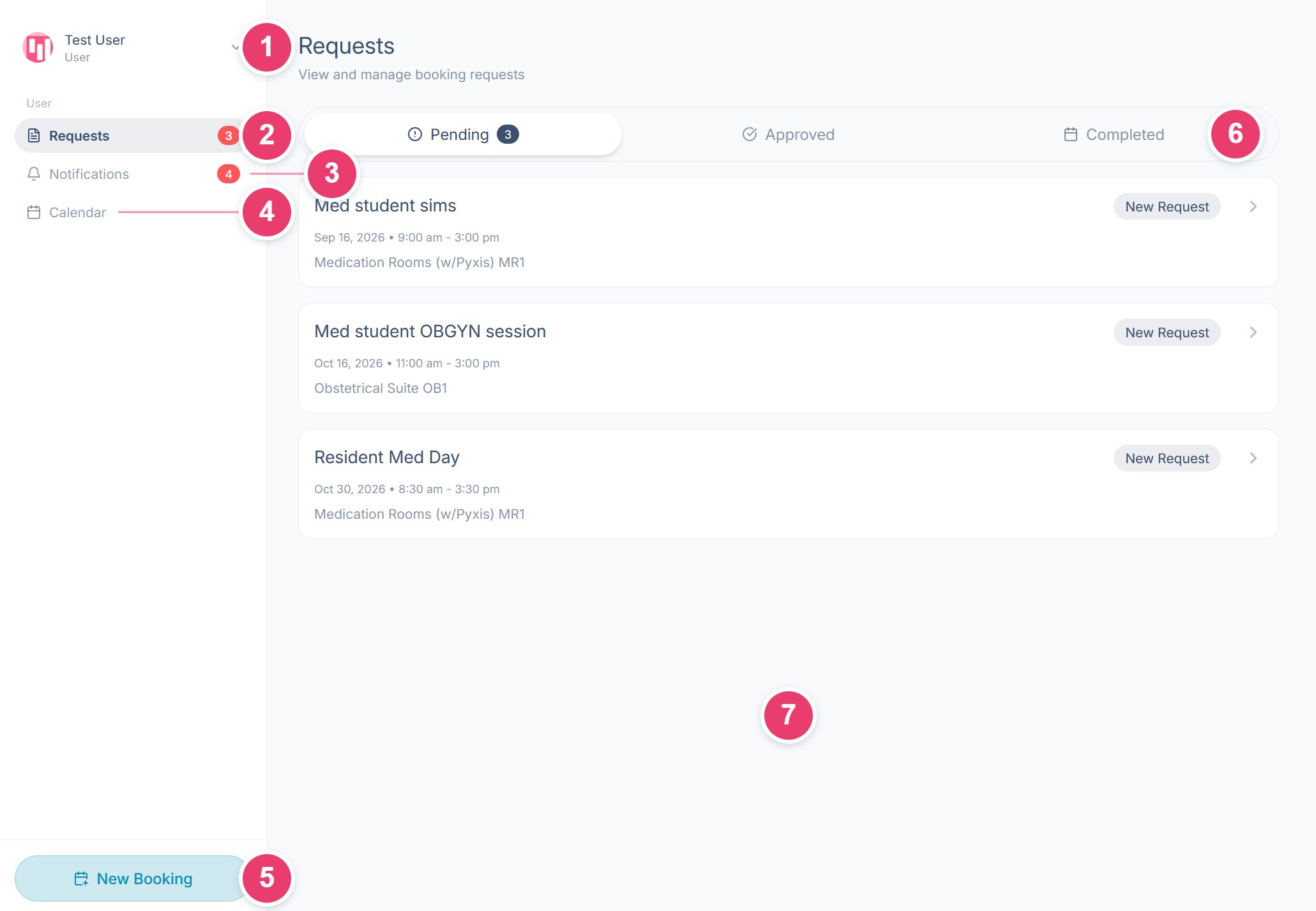
When you sign in to theSimCal, you're taken straight to the booking process. To open your Control Panel, where you track your requests and notifications, select your name (the account menu) at the top left. Everything you can do lives in the menu on the left, and this page shows you where.
What each area does
1Account menu: Select your name to open the menu. It stays closed until you do, then Profile and Logout drop down beneath it. Profile opens your personal settings; Logout signs you out. Always log out when you're on a shared computer.
2Requests: Every booking request you've made. The red badge counts your new, unreviewed requests (status New Request), not the Pending total.
3Notifications: Every update on your bookings: approvals, declines, messages, and edits. The red badge counts unread notifications.
4Calendar: Opens the public calendar, so you can see what's already booked before you request a room.
5New Booking: Starts a new booking request.
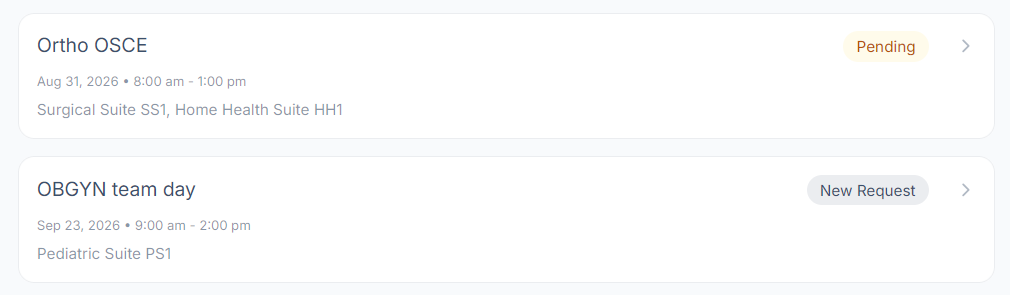
6Request tabs: Your requests are split across three tabs, Pending, Approved, and Completed. Pending holds everything not yet approved, and each request carries a badge showing where it stands: New Request means your center hasn't reviewed it yet, Pending means they have reviewed it but haven't approved it yet.
7Main area: Whatever you select in the menu opens here; in this example, the Pending requests list.
Where to go next
- New to theSimCal? Start with the ‘Creating an Account & Signing In’ guide.
- Ready to book a room? The ‘Submitting a Booking Request’ guide walks through every step of the New Booking process.
- Tracking a booking? The ‘Requests & Notifications’ guide covers statuses, editing a request, and your notifications.
- Updating your details or password? See the ‘Your Profile Settings’ guide.
Have an idea? Spotted something that could work better? Share it on our feedback board and vote on suggestions from other centers.