
Submitting a Booking Request
Choose your rooms, date, and duration, add your details, and send your request, one step at a time.
New here? Start with these four
About 15 minutes of reading, in orderEverything a requester needs to go from a blank account to a confirmed session. Each step is one short guide.
-
Create your account and sign in4 min
Your center gives you the sign-in link. No email confirmation step.
-
Check the calendar2 min
See what is already booked before you pick a date, no sign-in needed.
-
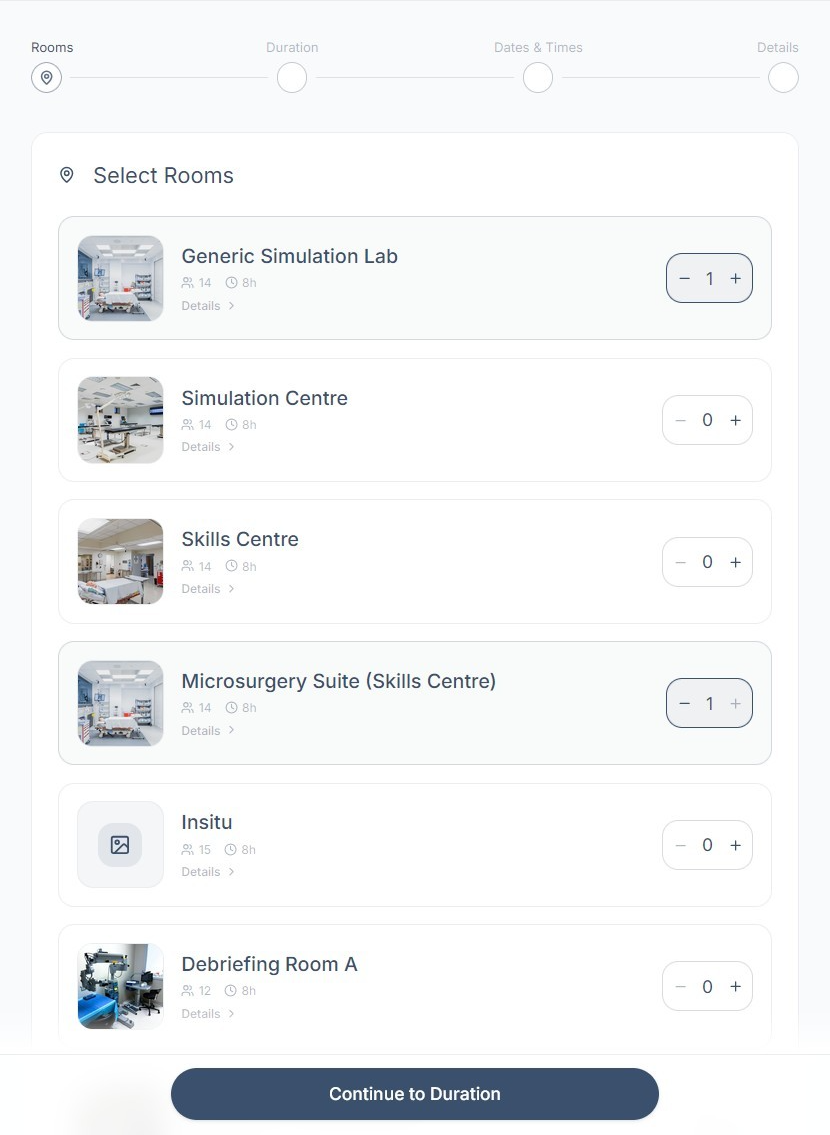
Submit a booking request6 min
Rooms, duration, dates and times, details. Four steps, then send.
-
Track it in Requests and Notifications5 min
Watch the status move from New Request to Approved, edit details, and read messages from your center.
Then, when you have a minute: Your Control Panel for the layout, and Your Profile Settings for notification preferences.
All guides
6 guides, written for people who book sessions · every guide is also a downloadable PDFCreating an Account & Signing In
Set up your theSimCal account and sign in for the first time.
Your Control Panel at a Glance
A one-page tour of your Control Panel, where to find your requests, notifications, and the New Booking button.
Submitting a Booking Request
Choose your rooms, date, and duration, add your details, and send your request.
Browsing the Calendar
Check what's already scheduled at your center: browse the month, search events, and filter by room.
Requests & Notifications
Track the status of your requests, understand what each status means, edit a request, and stay on top of notifications.
Your Profile Settings
Update your contact details, change your password, and manage your account.
Popular questions
Quick answers for using theSimCal day to day. Questions about plans, trials, or what the platform can do? See the FAQ.
Staff or admin at your center? Read the Staff & Admin Guide → · PDF